Changelog
October 2026
Dynamic pull requests, stronger controls, faster Workspaces
This release is about seeing a change before you review it. Pull requests now carry before and after screenshots of every screen they touch, plus a spec of every API call the change needs, so a designer can see what moved and an engineer can pick up the backend work without guessing. Skills hold your team's playbooks, so what comes back matches your standards rather than an agent's. And every Workspace gets its own Data Twin, so anyone can test any state of the product instantly, from empty states to failed payments, on realistic data that never touches production.
Underneath, we rebuilt most of the infrastructure. Workspaces create in about half the time, deploys are more reliable, and the controls enterprise teams ask for are in place: no production data anywhere in the loop, a record of every deploy, and nothing posted to GitHub until someone publishes it.
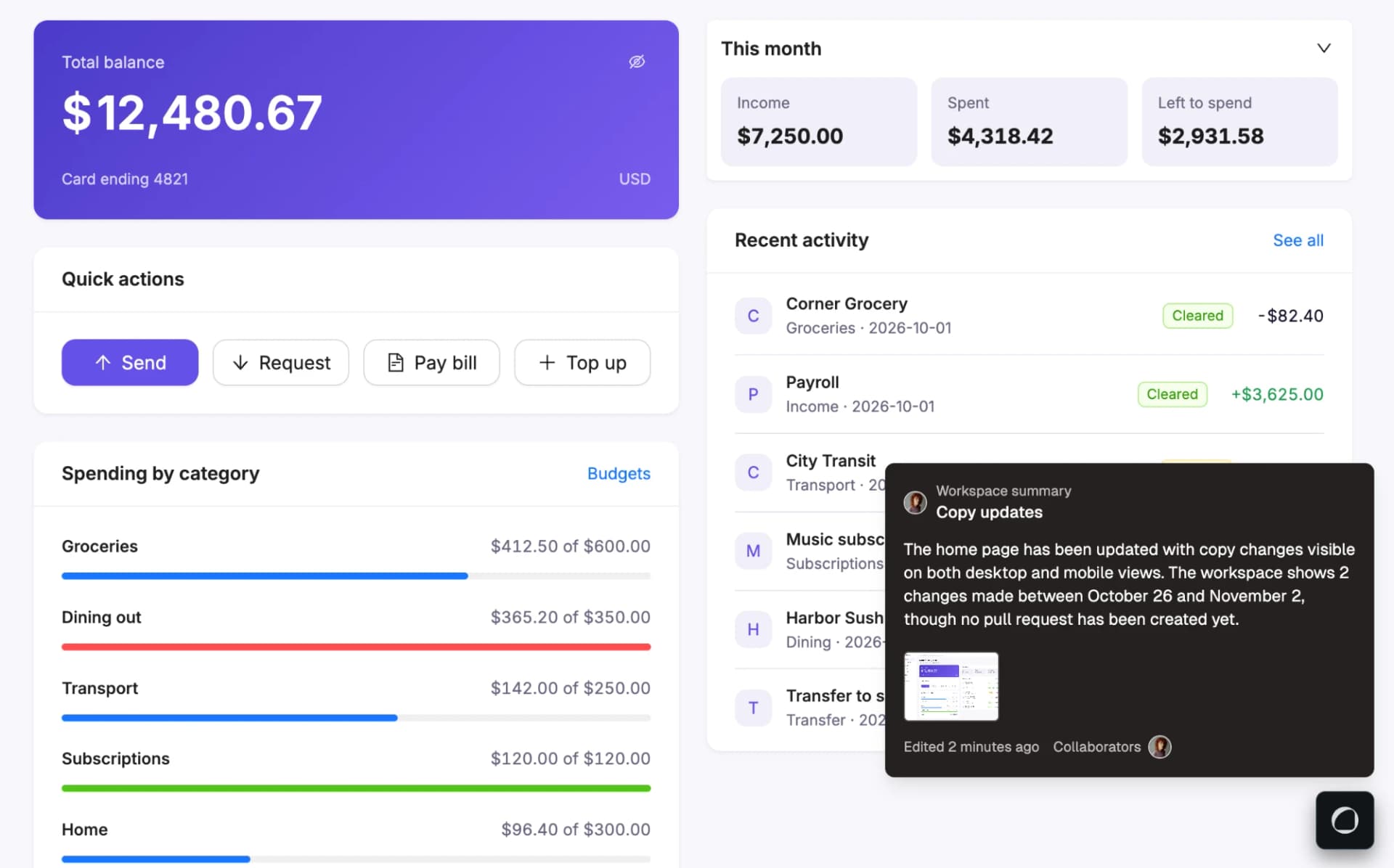
Review
Before and after images on every pull request
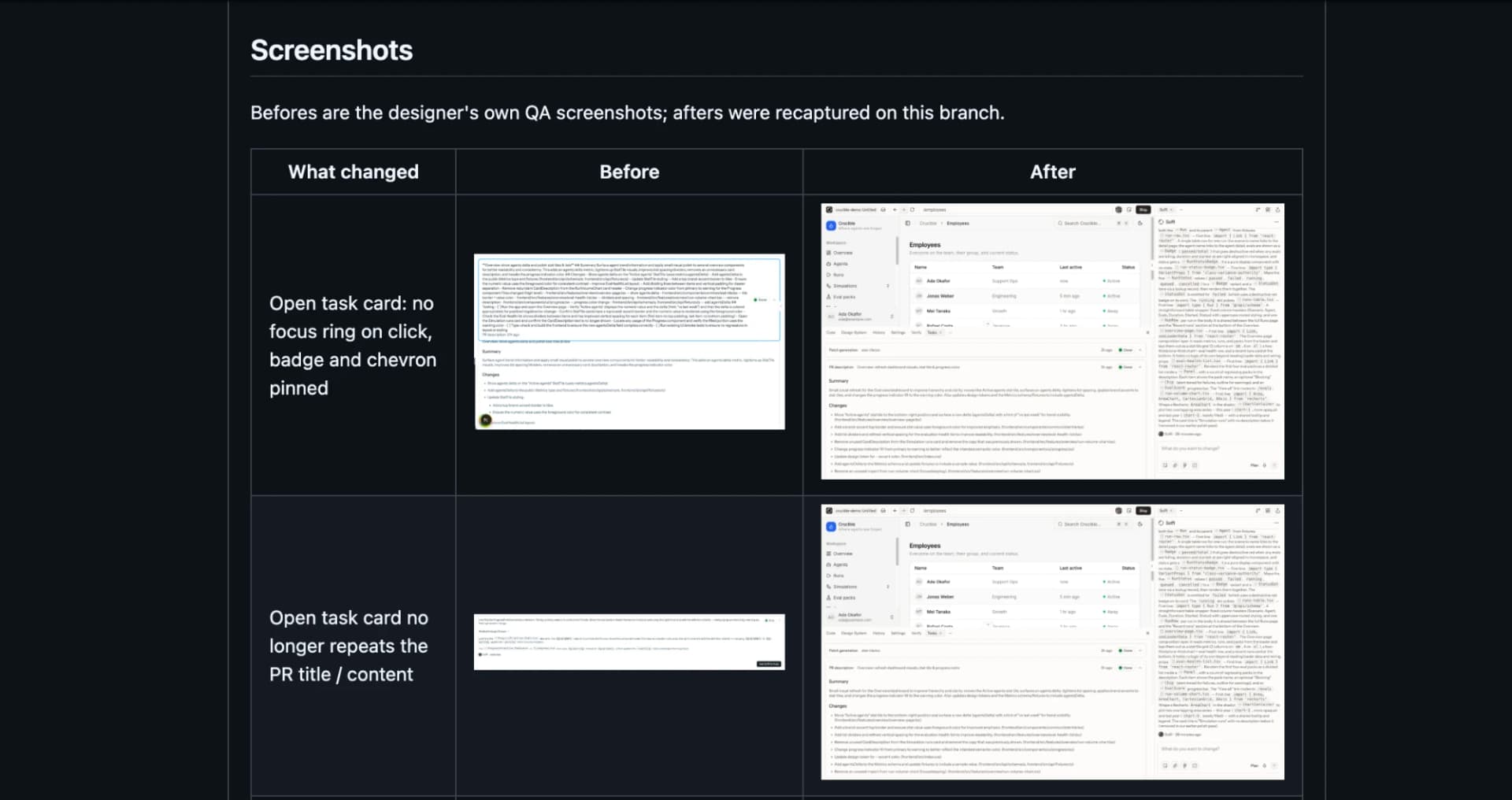
A diff tells a reviewer which lines changed. It doesn't tell them what that does to the screen.
A pull request from Soffi now opens with a plain summary, before and after screenshots of every page the change touches, and a backend requirements section: an agent-ready handoff with every API call the change needs, updated on every push. The screenshots come from real deployments of both versions, the pull request and its base branch, not renders.
From there you can open the pull request in Soffi and see it running. Comment or record video on the page itself, check what moved since you last looked, or fix it and push back.
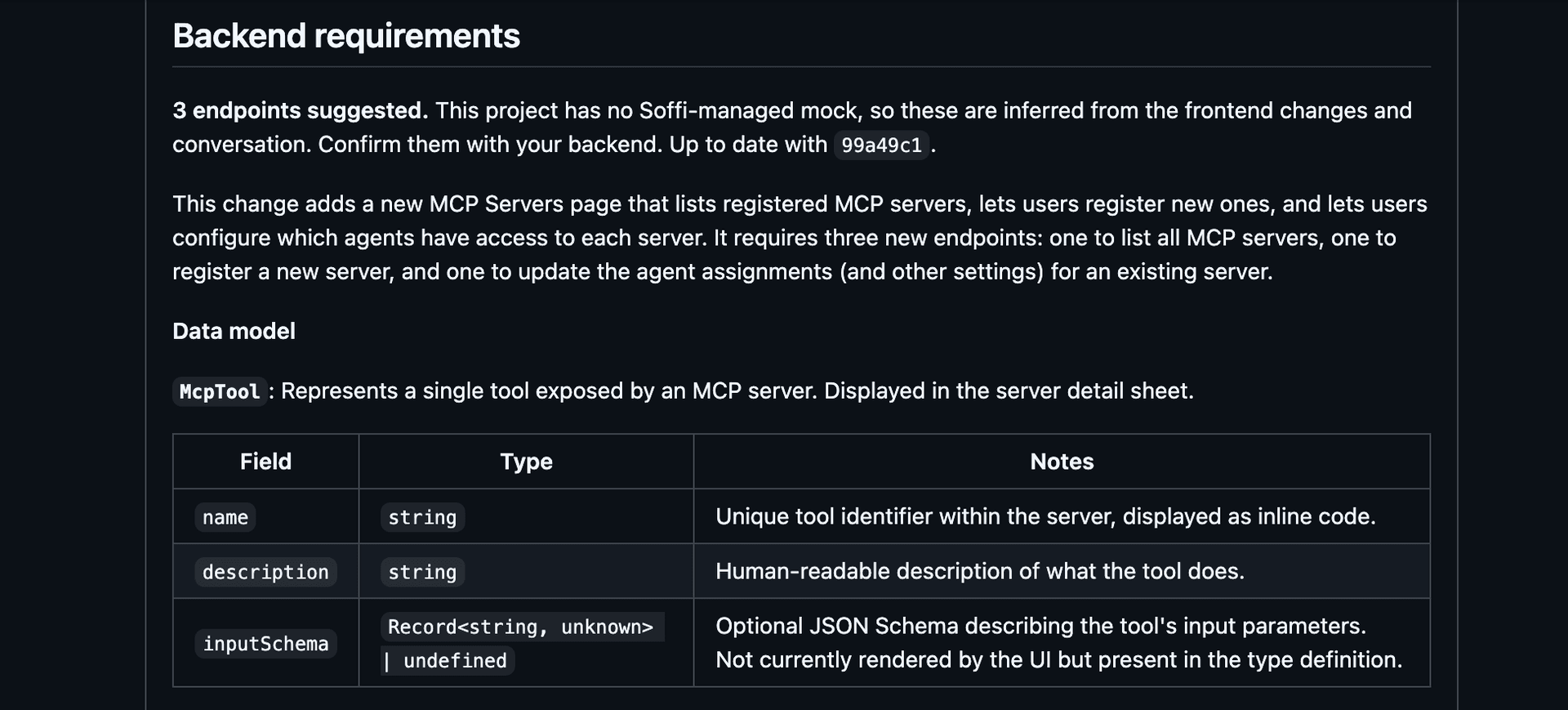
Any pull request can be opened in Soffi from its Deploy in Soffi button, including ones Soffi didn't create. For automatic comparisons on pull requests opened elsewhere, an Admin turns them on under PR visuals in the Project, and nothing posts to GitHub until an Admin publishes it.
PR visualsSoffi
Skills for your team's playbooks
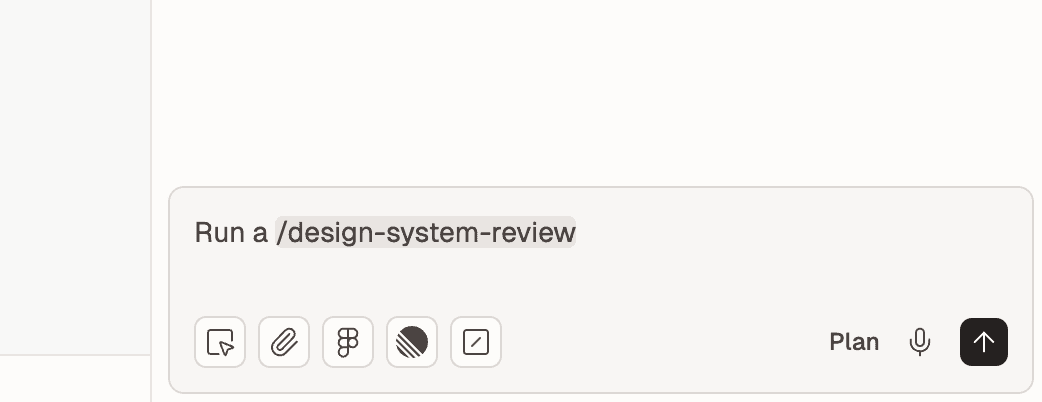
Your standards live in people's heads. Instead of pasting the same instructions into every request, or skipping them, write a skill your whole team can run.
A skill is a playbook Soffi follows when you ask for it: a design system review, your brand language, the checks your team runs before calling a screen done. Write it once as a Markdown file, and anyone runs it with a command.
Type / in Soffi's message box and pick a skill. Every Organization starts with
/design-system-review, which checks UI code against your own tokens and components and reports
every hard-coded value and hand-rolled component with its evidence.
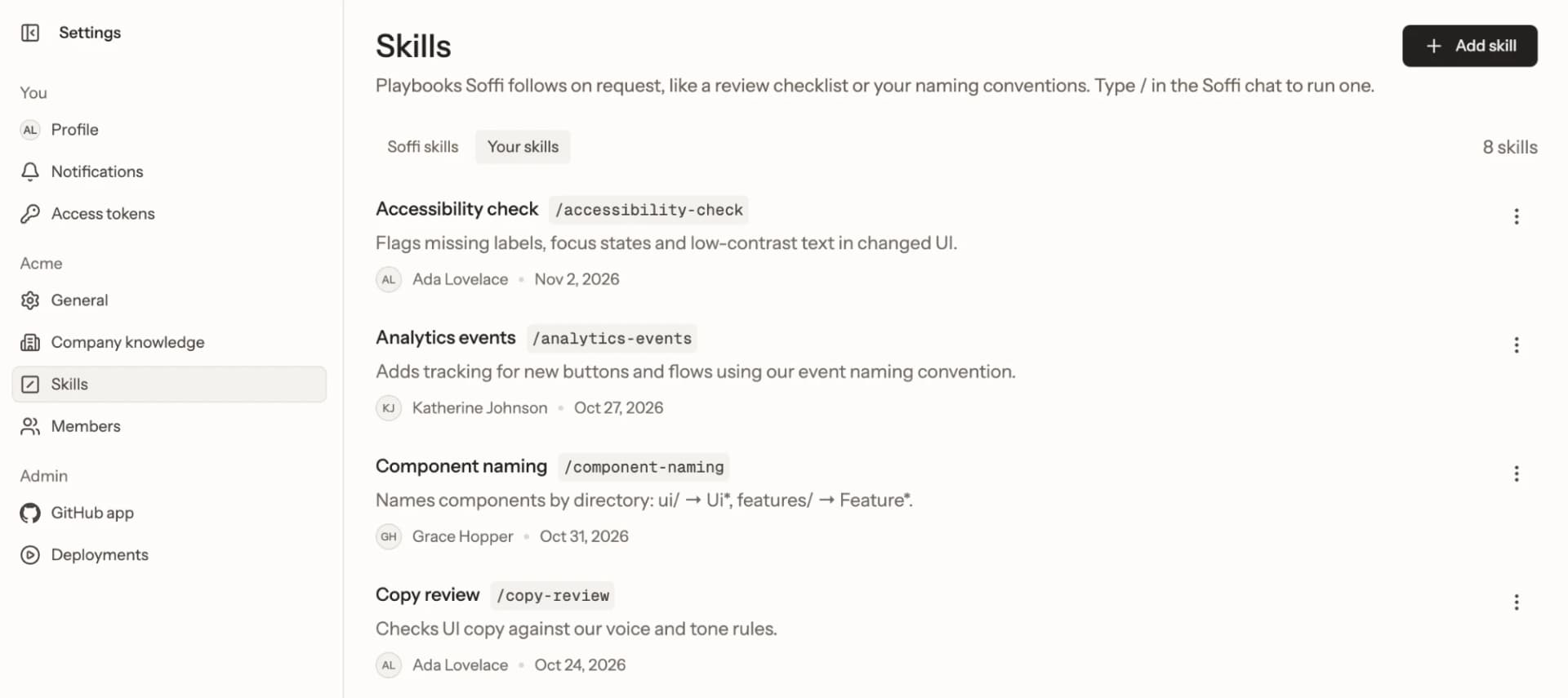
Editors, Admins and Owners add your own, or turn Soffi's off, under Skills in
Settings.
SkillsProject setup
A Data Twin for every Workspace
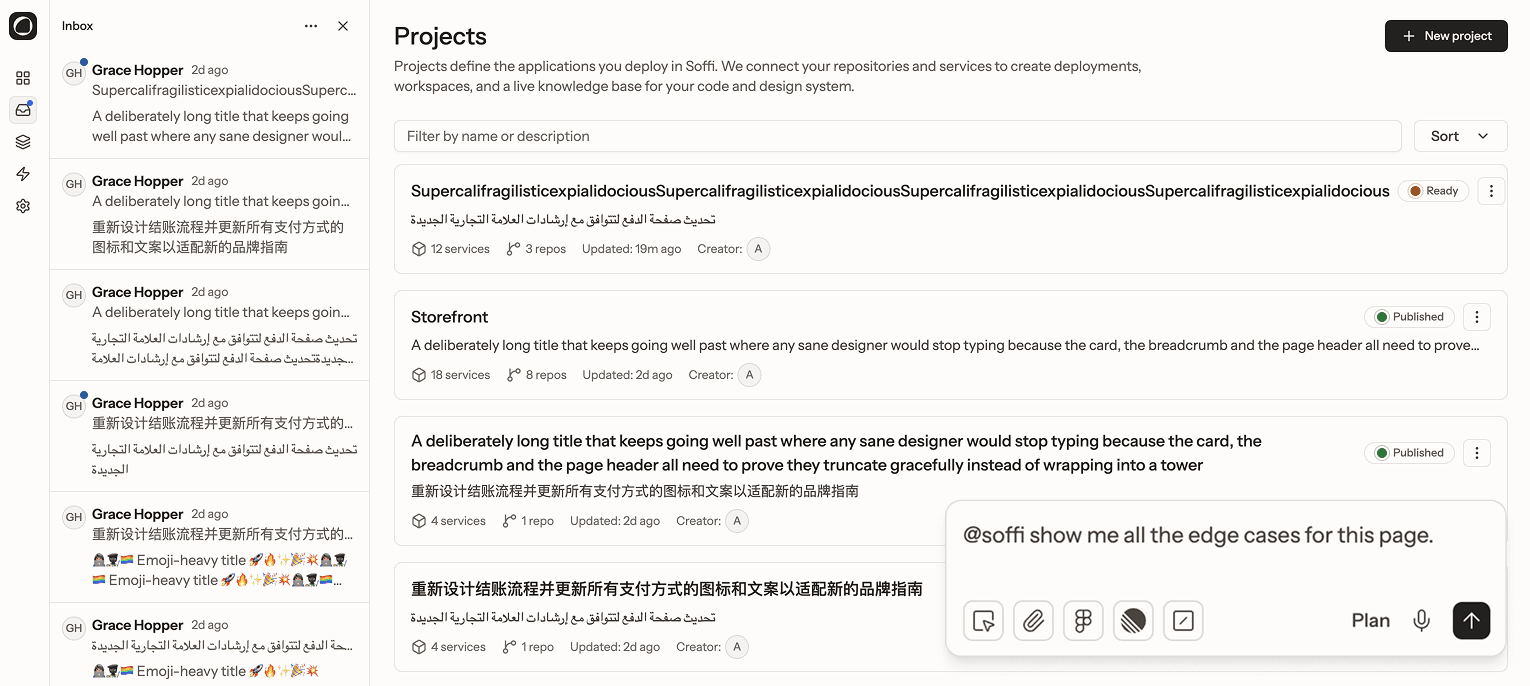
Running your real product for every change meant production data, secrets, auth and a seeded database to maintain. Security says no, and someone has to own it.
Soffi reads your code and builds a working twin of your backend: the same API calls, auth and data shapes as yours, never your data. Your real frontend runs on it. Every Workspace now gets its own copy on top of a shared baseline, so the data one person adds never changes anyone else's Preview.
Ask for any state and watch it render in your own components, from empty states to failed payments, and build a screen before the backend exists.
Baseline
Its own copy
An account with a hundred invoices
Its own copy
A name long enough to break a layout
Folded into the baseline
- The next Workspaces start with your additions
- Workspaces already in progress keep the baseline they started from
You set it up when you create a Project. Before a Data Twin becomes your baseline, Soffi checks that your main routes render with realistic data, and shows the result on the baseline card on the Project's Overview.
Data TwinAlso new
- Sign-in turned off in previewsProject setupSign-in in previews
During setup, Soffi turns off your app's own sign-in for Previews only, and keeps that change out of every pull request. Open a Preview straight to the screen you care about, and let a reviewer in without giving them an account.
- Workspaces across repositoriesWorkspaceWorkspaces
A Workspace can change several repositories at once, so a component and the app consuming it move together. Ship opens one pull request in each, and History and Code cover all of them.
- Pull requests open under your nameReviewShip
When you're signed in to GitHub and can write to the repository, Ship opens the pull request as you. Otherwise Soffi opens it, and Review and ship says why.
- Made with SoffiReview
Pull requests Soffi opens start with a short note linking back to the work in Soffi.
- See each step Soffi tookSoffi
Expanding a step in Soffi's panel shows what it did, including the diff for each file.
- Tickets from the message boxSoffiWorking with Soffi
Attach a Linear or Jira issue straight from Soffi's message box, no panel needed.
- A new Workspaces pagePlatform
Every Workspace in your Organization in one list, with cards or a list view, filters by pull request state, and a New menu for starting one.
- New onboardingProject setupCreate a project
Signing in, requesting access and setting up a Project were redesigned, and you now pick repositories, add notes and upload documents in one step.
- Data Twin readiness checkProject setupSet up your Data Twin
Before a Data Twin becomes a Project's baseline, Soffi checks that the app's main routes render with realistic data. The result is on the Data Twin's baseline card on the Project's Overview.
- Deploys in SettingsWorkspace
A Workspace's Settings lists every deploy with its trigger, its logs and a comparison with the previous deploy, and offers Retry when the latest one failed.
- Verify shows your test suitesWorkspace
The Verify panel lists the test suites declared in and detected from your repository.
- A new Workspace headerWorkspaceWorking together
Navigation moved into the Workspace name's menu, next to the people in the Workspace right now.
- A refreshed lookPlatform
Settings, admin and Project pages moved onto the Soffi design system.
Fixed
- Clearer preview statesWorkspacePreview
The Preview now says when your app hasn't started yet, when it keeps stopping as it starts, and when it's waiting for room to wake up.
September 2026
- A Data Twin for every WorkspaceWorkspaceData Twin
Each Workspace gets its own copy of the Data Twin on top of a shared baseline, so the data one person adds never changes anyone else's Preview.
- Faster WorkspacesPlatform
Creating a Workspace takes about half the time it did, and the Workspaces page loads each card as it's ready instead of all at once.
- Clearer key errorsProject setupEnvironment variables and keys
A deploy won't start while a required key is blank, and keys your frontend compiles into the browser are marked Public.
- Redeploy errors surfaceWorkspace
A redeploy that can't start now says why instead of failing silently.
August 2026
- Project reportProject setupProject report
A graded report on a connected repository: an overall score, the evidence behind each area, and small projects you can start from it, each with a ready-made prompt.
- Plan mode asks firstSoffiWorking with Soffi
When a request could go more than one way, Soffi asks a few questions, one at a time, before she writes the plan.
- JiraIntegrationsJira
Connect Jira Cloud as your issue tracker, alongside Linear.
- Stable preview addressesWorkspacePreviews and deployments
A Workspace's Preview keeps the same address across redeploys.
- Why an app didn't startWorkspace
A failed deploy now tells apart an app that crashes as it starts from one that never starts at all.
- Undo a style editWorkspaceStyle Editor
The confirmation you see after saving a style edit has an Undo button that rolls it back.
- Following shows moreCollaborationWorking together
When you follow a teammate, your view also tracks their menus and dialogs and their place in the code editor.
- Manage your team in bulkPlatformInvite your team
The Members page lists and searches everyone, Shift-click selects a range, and changing roles or deactivating applies to everyone you selected.
- Retire tokens in bulkWorkspaceDesign System
Deprecate a group of tokens in one step, and usage counts now include tokens used inside component variants and your theme.
- Quieter pull request commentsReviewPRs opened outside Soffi
The Soffi AI Summary on a pull request is folded away, with only its link to Soffi left showing.
July 2026
- Plan before you buildSoffiWorking with Soffi
Switch Soffi to Plan mode and she reads your code and proposes how she'd make a change, without editing anything.
- Voice inputSoffiWorking with Soffi
Dictate a request to Soffi instead of typing it.
- Documents as contextSoffiWorking with Soffi
Attach PDFs, Word documents, Markdown and plain text to a message, alongside images.
- ReviewersCollaborationRoles and permissions
People with the Reviewer role can comment on a Workspace without editing it, and can request edit access when they need it.
- Drag padding and marginWorkspaceStyle Editor
Drag the spacing around a selected element right on the Preview, and Soffi saves it as a real edit to your code.
- Choose how far a style edit reachesWorkspaceStyle Editor
A style edit can target one story, the whole component, one of its variants or the design token itself, and Soffi shows how many places the change will touch.
- Storybook in the Design System panelWorkspaceDesign System
Open your stories next to your app and style them the way you would in the Preview.
- Company knowledgeProject setupKnowledge docs
Tell Soffi about your company, your users and your brand once, with guided questions and your own brand documents, and she uses it in every Workspace.
- Knowledge docs for every ProjectProject setupKnowledge docs
Soffi writes knowledge docs for every repository you import.
- A smarter path barWorkspacePreview
The Preview's path bar suggests routes from your app as you type, and the Preview stays on the page you were on when it reloads.
- A first-run tourWorkspaceQuickstart
The first time you open a Workspace, a short tour walks you through each tool, with a video for most of them.
- Keyboard shortcutsWorkspaceWorking together
Panels collapse out of the way, and a shortcuts list shows every hotkey in the Workspace.
June 2026
- FigmaIntegrationsFigma
Connect Figma and attach a file or frame to a message, and Soffi builds from its real values.
- Tickets as contextIntegrationsLinear
Attach a Linear issue to your conversation with Soffi, and it stays in view for everyone in the Workspace.
- Select several elementsSoffiWorking with Soffi
Pick more than one element in the Preview and they all go to Soffi with your message.
- Images in messagesSoffiWorking with Soffi
Drop screenshots and images into a message and Soffi reads them.
- Keep typing while Soffi worksSoffiWorking with Soffi
Messages you send while she's busy wait their turn instead of being blocked.
- Reverted versions stay visibleWorkspaceHistory and versions
Versions you undo are marked Reverted in History, and you can revert a revert.
- Reactions and screenshots on commentsCollaborationComments
React to a comment with an emoji, and a new comment on the Preview captures a screenshot of the spot it's pinned to.
- Cursor chatCollaborationWorking together
Press / to say something next to your cursor on the Preview.
- Workspace SettingsWorkspace
A Workspace's build logs, app logs and configuration are in one place.
- Your profile and logoPlatform
Upload an avatar, set your display name, and give your Organization its logo.
- Larger repositoriesPlatform
Repositories up to 5 GB can be imported.
May 2026
- Follow a teammateCollaborationWorking together
Click someone's face to watch their view as they move around the Workspace, and press Esc to go back to yours.
- See who's hereCollaborationWorking together
Live cursors and faces show who's in a Workspace and where they're pointing.
- One conversation with Soffi, sharedCollaborationWorking with Soffi
Everyone in a Workspace sees the same conversation with Soffi as it happens, and it's still there when you come back.
- LinearIntegrationsLinear
Connect Linear so Soffi can read the tickets behind your work.
- A new Ship dialogReviewShip
Before you Ship, Soffi summarizes every change in plain language and shows how widely each one reaches, and shipping to an existing pull request has its own path.
- Video comments in ReviewCollaborationComments
Record a video comment from the Review layout, and find every video comment in your inbox.
- Soffi sees your app's errorsSoffi
Soffi reads your app's browser console and error screens when she's working out what went wrong.
- Knowledge docsProject setupKnowledge docs
Soffi writes reference documents about each repository, covering its architecture, design and conventions, and reads them before she works.
- Design System for everyoneWorkspaceDesign System
The Design System panel is available in every Workspace.
- Better code searchWorkspaceCode
File search matches partial names and searches inside files too.
April 2026
- The Grid layoutWorkspaceLayouts
Every editing tool now sits in a fixed grid around your app, with tabs and hotkeys for each panel.
- Dawn and DuskPlatform
Two new themes, one warm and light and one cool and dark, with matching colors in the code editor.
- Choose your fontPlatform
Pick the typeface Soffi's interface uses from your profile menu.
- Click to give Soffi contextSoffiWorking with Soffi
Click a component in the Preview to show Soffi exactly what you're talking about.
- Mentions in video commentsCollaborationComments
Type @ to mention a teammate when you record, caption or reply to a video comment.
- Pull in updatesWorkspaceStaying up to date
Bring new commits from GitHub into a Workspace, from its base branch or its pull request.
- A reorganized Style EditorWorkspaceStyle Editor
Controls are grouped into sections, and a layers view helps you reach elements nested inside others.